Retail inventory software that works alongside your till
Know what is on your shelves, what needs reordering and what the last count found. Your stock and your books in one place, free, on your own computer.
Quick answers
Is Celerp free?
Yes. The desktop app is free for business use: no account needed, no per-user fee and no limits on companies, users, items or records. The core is source-available and the modules are MIT-licensed.
Does it work offline, and can I self-host it?
Yes. Celerp runs on your own computer and works offline: the core product needs no internet connection. You can also self-host it on an office or cloud server, so the database stays on hardware you control.
What does Celerp cover?
Inventory, invoicing, purchasing, full accounting, CRM, manufacturing with bills of materials, and reporting, all sharing one set of data.
Which industries is it built for?
It ships with presets for retail, jewelry, gemstones, watches, coins, fashion, cosmetics, food and beverage, wine and spirits, agriculture, electronics, auto parts, hardware, furniture, books and media, art and consulting.
What does Celerp Connect cost?
$29 a month or $290 a year for your whole setup, never per user, with the first 14 days free before billing starts. Connect adds store and accounting sync, remote access, 100 included AI queries and encrypted cloud backups. The desktop app works fully without it.
Updated for version 2.9.0 on .
Where shop stock goes wrong
Best sellers run out
You find out when a customer asks for one. Give each item a reorder point and Celerp tells you when it gets there.
A count that never reaches the numbers
A count on paper stays on paper. In Celerp the count sets your stock, and the difference goes to your books.
Prices in three places
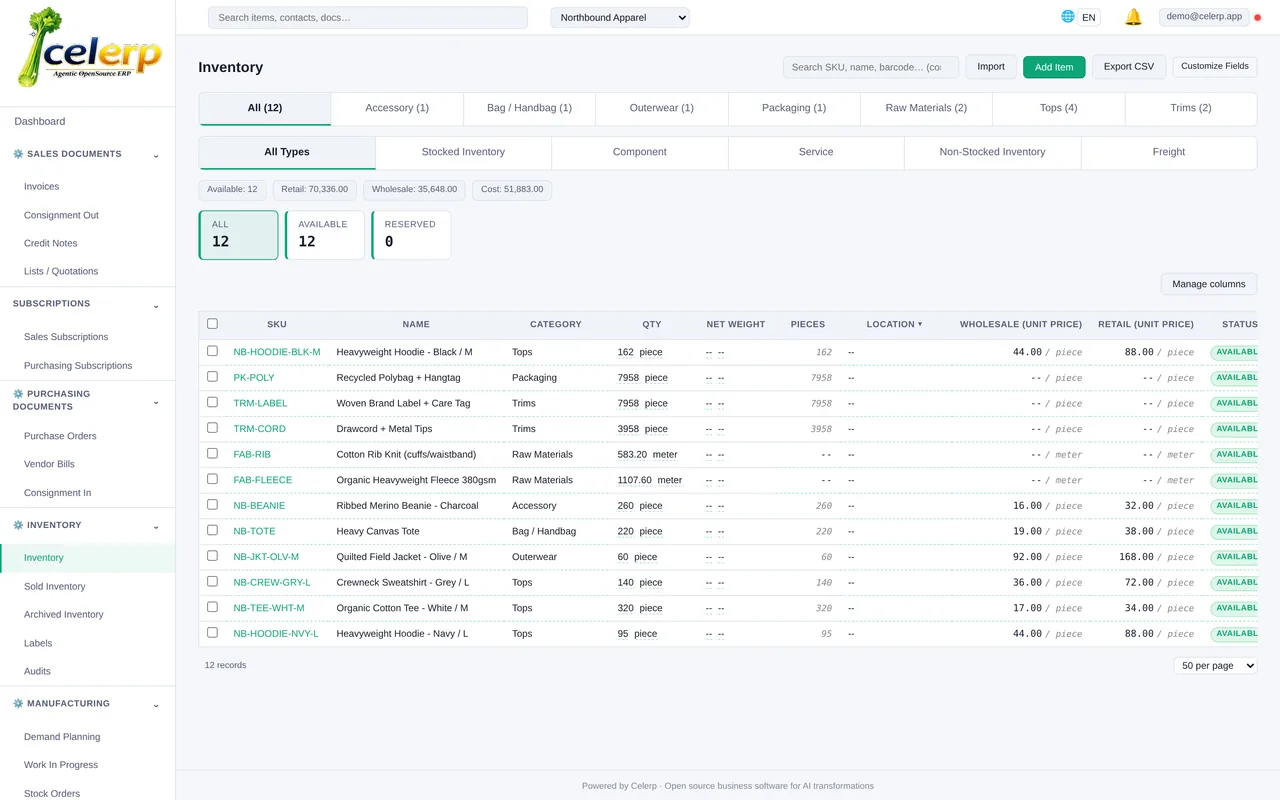
Shelf labels, the price list and the trade price sheet drift apart. Keep retail and wholesale prices on the item and print labels from it.
Stock control for a shop
Set a reorder point on each item. Once a day Celerp tells you when an item drops to its reorder point, and the dashboard counts what is low. You can get the same notice by email; email needs the computer signed in to a free Celerp account or your own mail server. Select what is low and Celerp drafts one purchase order per supplier.
Every company starts with a Retail and a Wholesale price list, so the shelf price and the trade price sit on the same item.
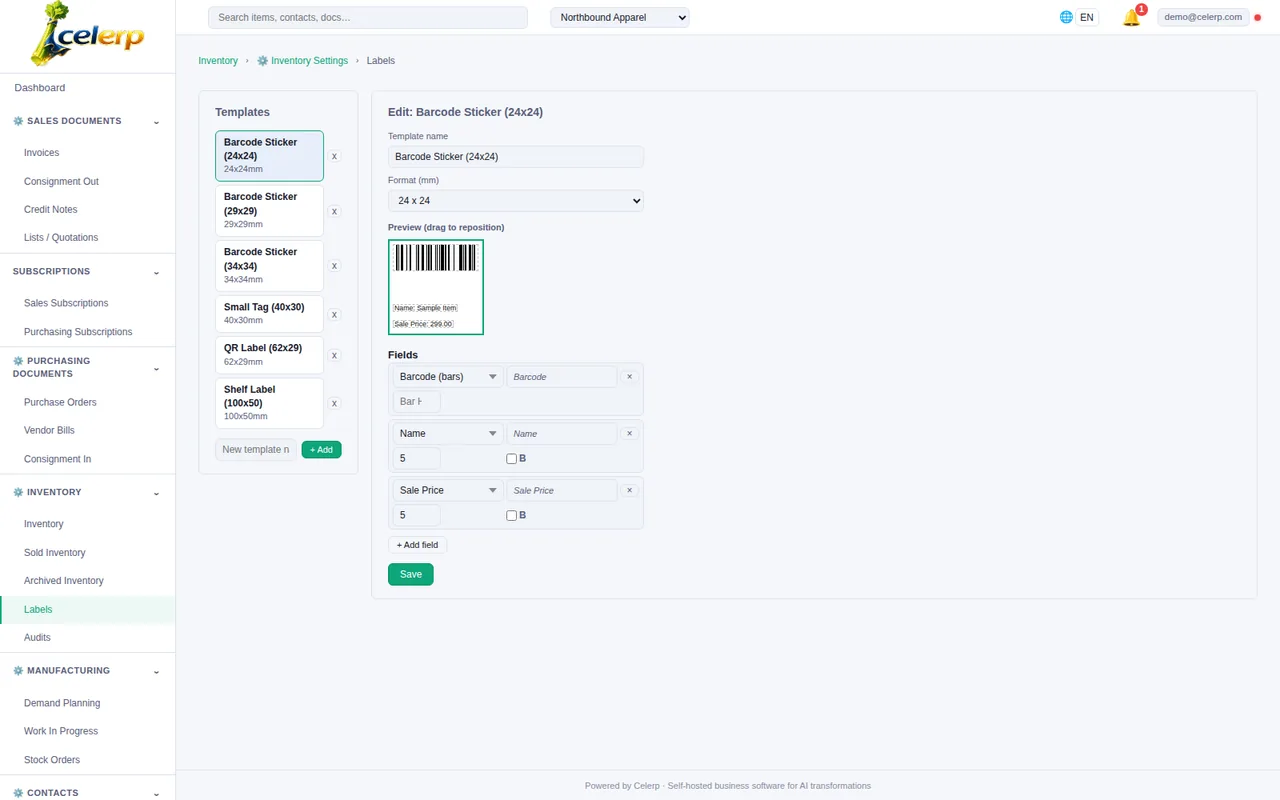
Print labels with the barcode, name, SKU and sale price straight from your inventory.
Keep stock in several locations, such as the shop floor, the back room or a second shop, and move it between them.
Count your stock
Start a stock count list, finalize it, and enter what is actually on the shelf. When a manager chooses Adjust stock, Celerp sets your stock to the counted quantities and posts the difference to Stock shrinkage and write-offs, or to Stock gains, as one journal entry. A mistake can be undone.
Damaged goods go on a write-off, with the account you choose and a comment. Staff can do the counting, and a manager applies it.
Your till stays
Celerp is not a point of sale and does not connect to your till. Keep the till for checkout, and bring the day's sales into your stock in one of two ways:
- ✓ Enter the day's sales as one invoice: scan the items, issue it and mark it fulfilled, and the stock comes off.
- ✓ Or count regularly: each count brings your stock back to what is on the shelf, and the difference goes to your books as stock shrinkage.
Selling to other shops too
Give trade customers your wholesale prices, send them invoices and statements, and see who owes you what. They buy from the same stock your shop sells from. Celerp for importers and distributors
Selling online
Keep a WooCommerce store in step with your stock through Celerp Connect. Shopify (Coming soon) will work the same way. WooCommerce sync
Questions from shop owners
Is Celerp a POS?
No. Celerp is not a till. It keeps your stock, prices, purchases and books next to the till you already have.
Do sales at my till take stock off in Celerp?
Not by themselves, because Celerp does not connect to a till. Enter the day's sales as an invoice, or count your stock regularly.
How do I set it up for a shop?
Choose Retail / Shop as your business type when you create your workspace. You can change it later in Settings.
Can I bring in my product list?
Yes. Import your items with their stock from a CSV or Excel file, and match your columns on the import screen.
Start with your own stock
Download Celerp, choose Retail / Shop, and import your product list.