Move client books without rebuilding them by hand.
Bring the company in and review what was found.
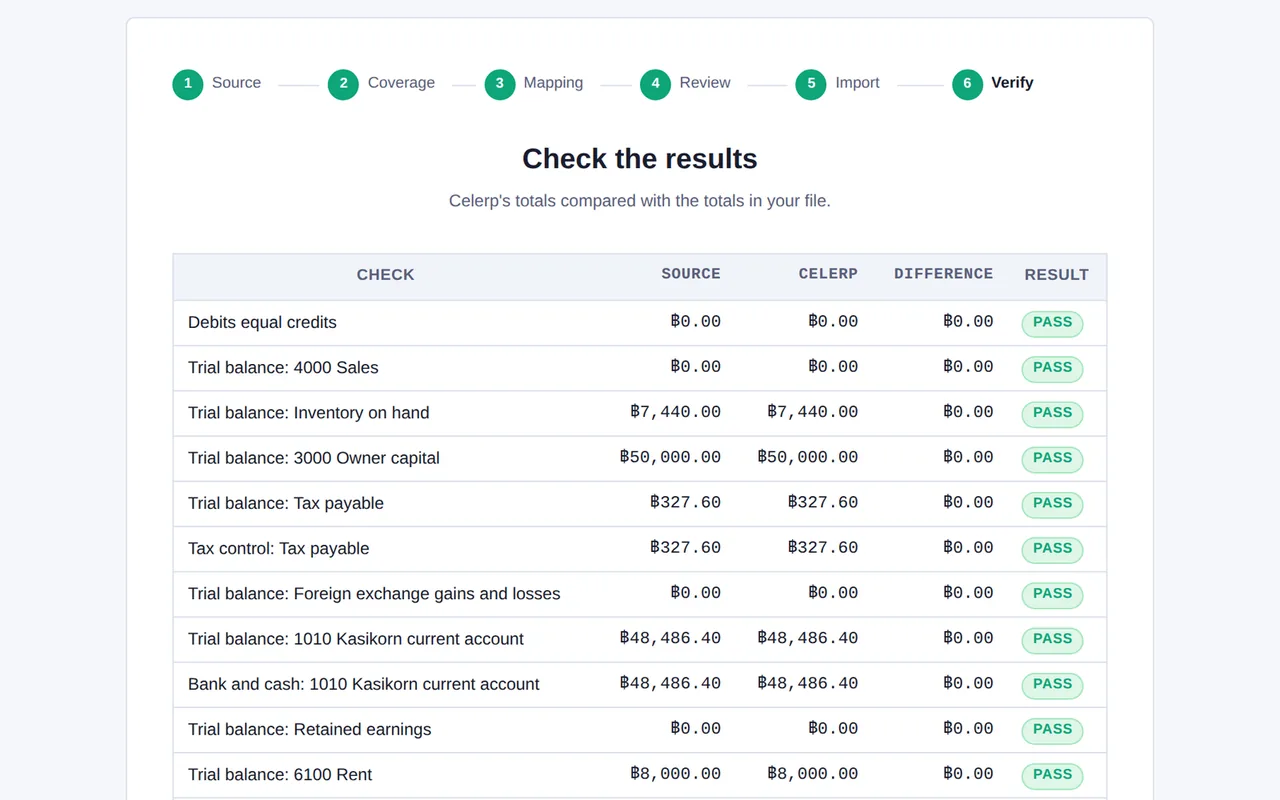
Check that the balances reconcile before you accept anything.
Start with one client. No practice-wide migration.
No licence fee or time limit for local use.
Supported today: Manager.io. Don't see your client's system? Tell us what they use.
You see the differences before you accept the migration.
Celerp compares the key balances in the source with the same balances in Celerp and shows the difference for each one. Nothing becomes the client's company until you accept it.
Before anything moves, you see what is in the source file, area by area.
Anything Celerp cannot move is listed for you, never dropped quietly.
Source, Celerp and the difference, side by side, so you can see whether they agree.
You accept the migration only when you are satisfied with what you see.
How it works
Move a client
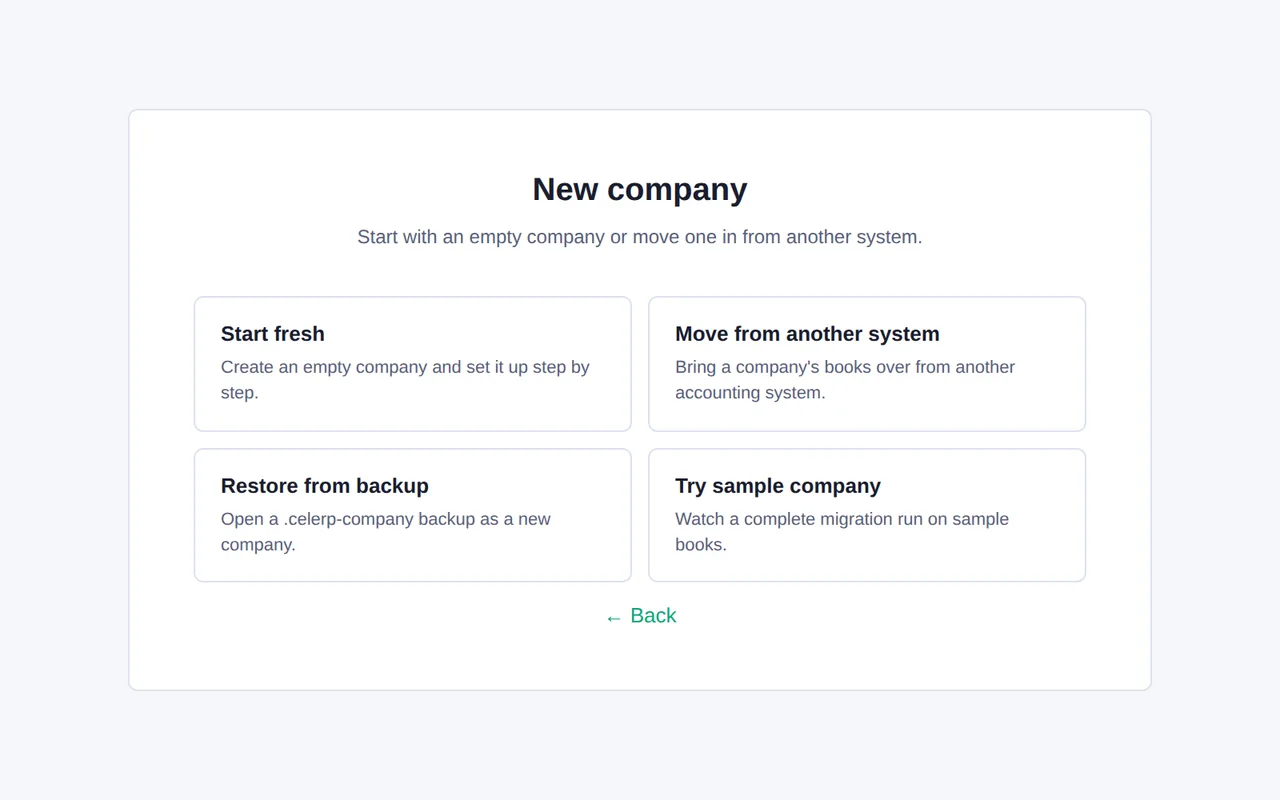
Choose the source and the client's file. Celerp creates a new company for that client.
Review and verify
Look at what was found, what could not be moved, and whether the balances reconcile. Accept when you are satisfied.
Start working
The client's company is ready in Celerp, on your own machine.
Hand over a company backup
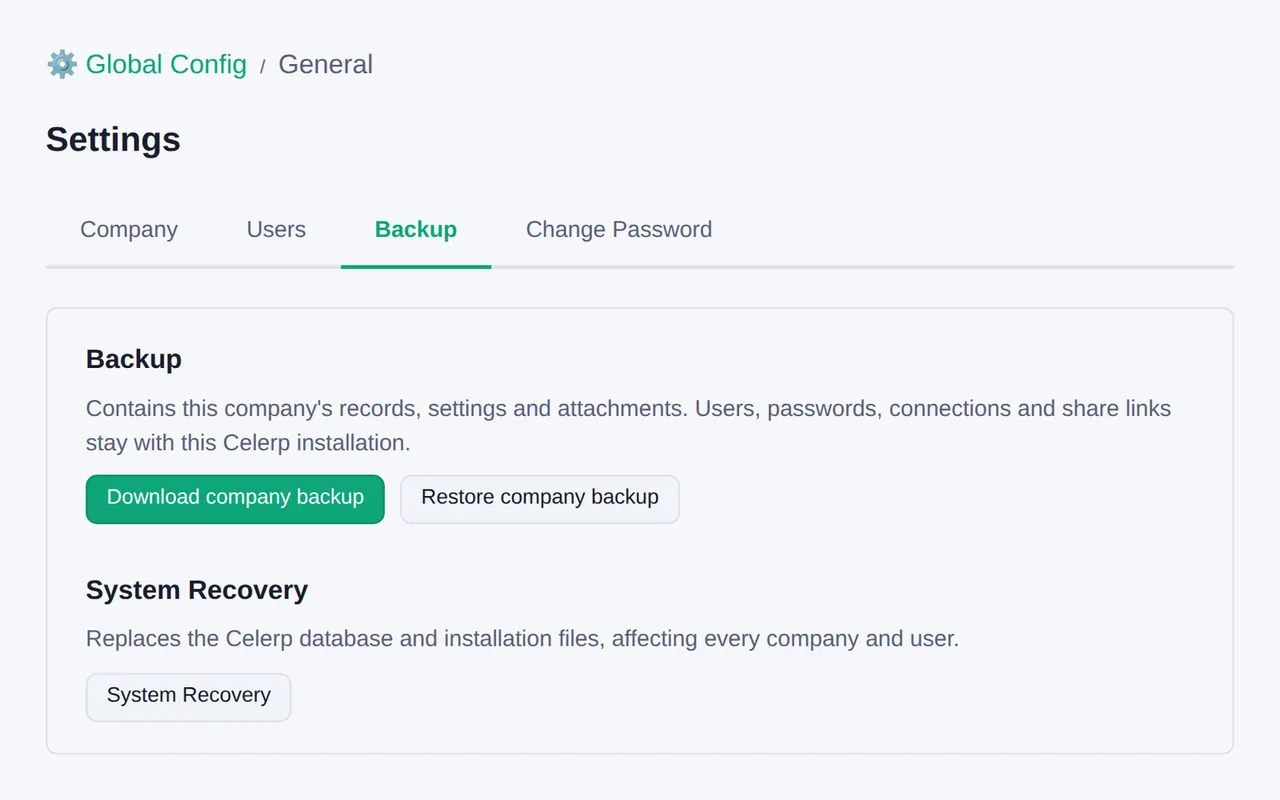
Download the client's company backup. Your client can restore it in Celerp for free.
Move the next client
The next client uses the same steps. There is nothing new to learn.
One client at a time
Move one client and keep the rest where they are. Each client is its own company in Celerp.
Manager.io, from the client's business file (.manager). Other systems are added in order of demand.
Don't see your client's system? Tell us what they use.
Tick the box to join early access.
Thanks.
We add sources in order of demand. If you asked for early access, we'll contact you if an early-access opportunity is available.
Your service, your price
No licence fee and no time limit, for you and for any client who restores their company backup.
Charge what you choose for moving books, bookkeeping and client handovers. Your clients pay you directly.
Celerp takes no share of what you charge.
Services such as Connect are separate Celerp subscriptions. Moving a client or handing over a backup does not need them.
Questions
Which systems are not supported?
Everything except Manager.io, for now. If your client uses another system, tell us which one with the form above. We add sources in order of demand.
Where does the data live?
On your own computer. Celerp runs locally, and the client's company is stored in your installation.
Does my client need Celerp?
No. You can keep working in the client's company yourself. If your client wants their own, download their company backup and they can restore it in Celerp for free.
What does it cost?
Nothing for local use, with no time limit. You set your own price for your services.
How long does a client take?
It depends on the size of the client's books. The sample migration runs the same steps on a small sample company, so you can judge the time before you move a real client.